Category: Opencart

  • Simplify Product Filtering by Category and Store ID in the Admin Panel with Our Powerful OpenCart 3.x Free Extension

    OpenCart, one of the most popular e-commerce platforms, empowers countless online stores worldwide. To enhance its functionality and provide store owners with more flexibility, we are thrilled to announce the launch of our new extension for OpenCart 3.x. With this powerful extension, users can now effortlessly filter products by category and store ID directly from the admin panel. Say goodbye to tedious manual searches and welcome a streamlined product management experience!

    Why Product Filtering Matters:

    Efficient product management is a key aspect of running a successful online store. As the number of products and categories increases, finding specific products or organizing them becomes more challenging. Without a robust filtering system, valuable time is wasted navigating through a sea of products, making even the simplest tasks arduous. Our new extension addresses this pain point and simplifies the product filtering process.

    Filtering by Category:

    Our extension offers a seamless solution to filter products based on their categories. By integrating this feature into the OpenCart admin panel, store owners can now effortlessly browse and manage products specific to a category. Whether you want to update pricing, adjust inventory, or modify descriptions, the ability to quickly locate products within a particular category saves time and boosts productivity.

    Filtering by Store ID:

    For those who manage multiple online stores within their OpenCart setup, filtering products by store ID is a game-changer. Each store might have its own unique set of products, making it essential to have a streamlined method to navigate through them. Our extension provides the flexibility to filter products based on the store ID, allowing store owners to efficiently manage their inventory across various stores within the same admin panel.

    Key Features:

    1. Seamless integration: Our extension seamlessly integrates into the OpenCart 3.x admin panel, ensuring a smooth user experience.
    2. Category filtering: Easily filter and view products based on specific categories, simplifying product management tasks.
    3. Store ID filtering: Effortlessly navigate through products belonging to different stores within the OpenCart setup by filtering using the store ID.
    4. Enhanced productivity: By reducing the time spent searching for products, this extension enhances productivity and allows store owners to focus on other essential aspects of their business.
    5. Intuitive user interface: The extension offers a user-friendly interface that requires no technical expertise, ensuring ease of use for store owners and administrators.

    How to Install:

    1. Download the extension from our website.
    2. Log in to your OpenCart 3.x admin panel.
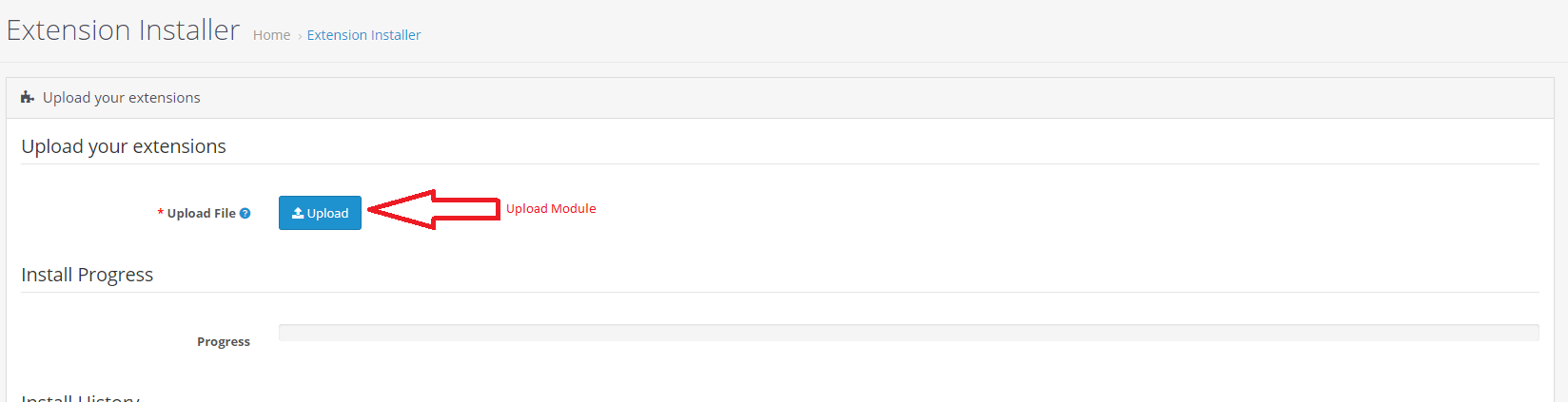
    3. Navigate to the Extensions section and click on Extension Installer.
    4. Upload the extension file and proceed with the installation.
    5. Once installed, you will find the filtering options in the product management section of the admin panel.

    Note: Please take the backup first before installing any new extension.
  • Opencart 3.x Set currency based on user’s IP [Free Extension]

    If you are looking for an extension that helps your opencart 3.x to change the currency based on the user’s location. Then this extension is the perfect solution for your need.
    This extension will trace the user’s location based on his/her IP address and filter the country’s currency ISO code. If your store has that currency ISO then it set it if not then it set to default USD.
    It supports all the themes and the latest 3.x version of Open Cart.Please refer the below instruction for the proper installation guide:Step 1: Go to the extension -> installer. And click upload, After that select “ipbasedcurrencybyTejasRana.ocmod” zip file
    Step 2: Go to the Extension -> Verify that the extension is in the list.
    Make sure it is enabled. If not, then enable it.Step 3: Refresh the modifications. So, It re-generates all the files.Note: This module will fetch the user’s IP and then trace the location of the user’s ISP+. Due to this process, it might impact the little bit load to your opencart while loading the first time to new users (or if the currency is not set on user’s browsers). But don’t worry it will not be much it will be hardly between 100ms-500ms (Depend on your server’s load and network load of your hosting)
    PRIVACY CONCERN: If you are really concern about the privacy of your user. So, Please DO NOT use this extension. Because to fetch the IP location detail I need to pass the user’s IP to a 3rd Party API which returns the basic details such as ‘city’, ‘region’, ‘country_code’, ‘country_name’ etc. No other detail such as user’s actual lat long, device information, etc. all the detail which I get is the user’s ISP, not the user.

    This extension is completely free. There is no hidden plan/service you need to buy.

    But if you like to help me to provide this type of “MUST HAVE” extensions for OpenCart/WordPress/Magento with Free of Cost then you can donate me. For the donation, you can contact me.

    If you are facing any issue or need support to configure this extension then you can contact me. I will help you to configure this extension.

    [wpdm_package id=’3123′]

  • Opencart 3 Social Login Extension [FREE]

    Opencart 3 Social Login Extension [FREE]

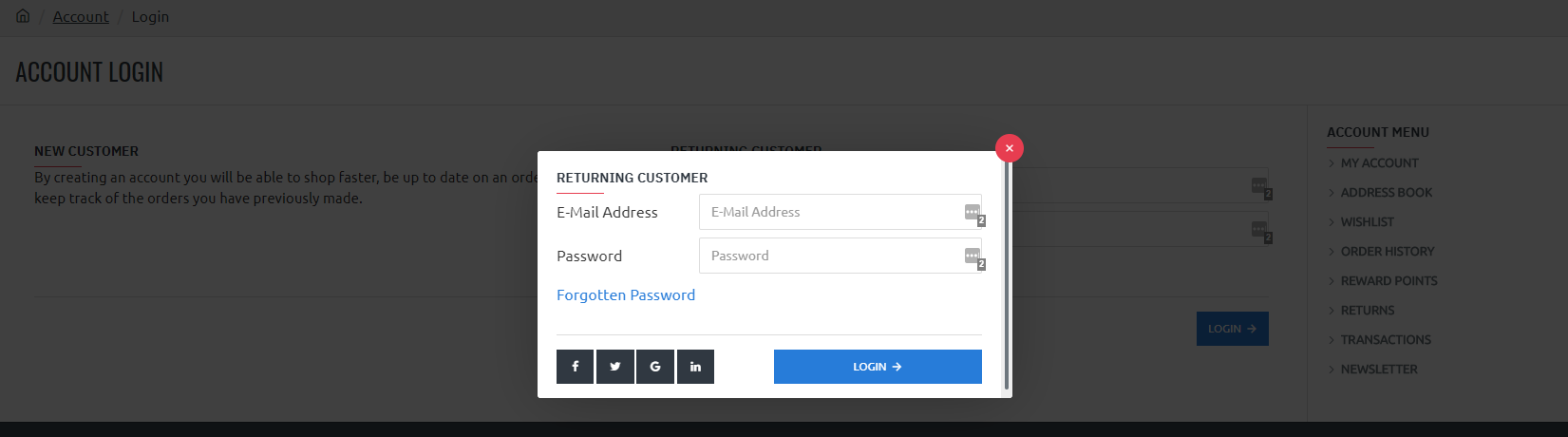
    This extension allows users to log in with the social platform just with one click. The users can easily log in with Facebook, Google Plus, Twitter, and Linked In.
    The minimum requirement is: Opencart 3+
    This is OCMOD supported module which means you can directly install it.
    It is well tested on Journal Theme 3 and Default theme and works fine. But still, if you find any issue you can comment on it I will try to reply to you ASAP.

    Please refer the below instruction for the proper installation guide:

    Step 1: Go to the extension -> installer. And click upload, After that select “socialloginbytejasrana.ocmod” zip file

    Step 2: Go to the Extension -> Modifications and click the refresh icon. Once you click you can see the module in the table.

    Step 3: Go to the Extension -> Extensions and filter “Modules”. And scroll down to “Social Login By Tejas Rana” and install it. Once you installed click on the edit icon.

    Step 4: Fill or set the configuration as per your need. For each social platform please refer to the developer guideline of the respective platform.

    This extension is completely free. There is no hidden plan/service you need to buy.

    But if you like to help me to provide this type of “MUST HAVE” extensions for OpenCart/WordPress/Magento with Free of Cost then you can donate me. For the donation, you can contact me.

    If you are facing any issue or need support to configure this extension then you can contact me. I will help you to configure this extension.

  • Getting Started with OpenCart

    Opencart is Open Source E-Commerce portal. With OpenCart you can start your online E-Commerce website within 10 minutes.
    OpenCart is widely used E-Commerce framework and it comes after Magento.